
ElevenLabs Voice Cloning: Instant vs Professional for Video
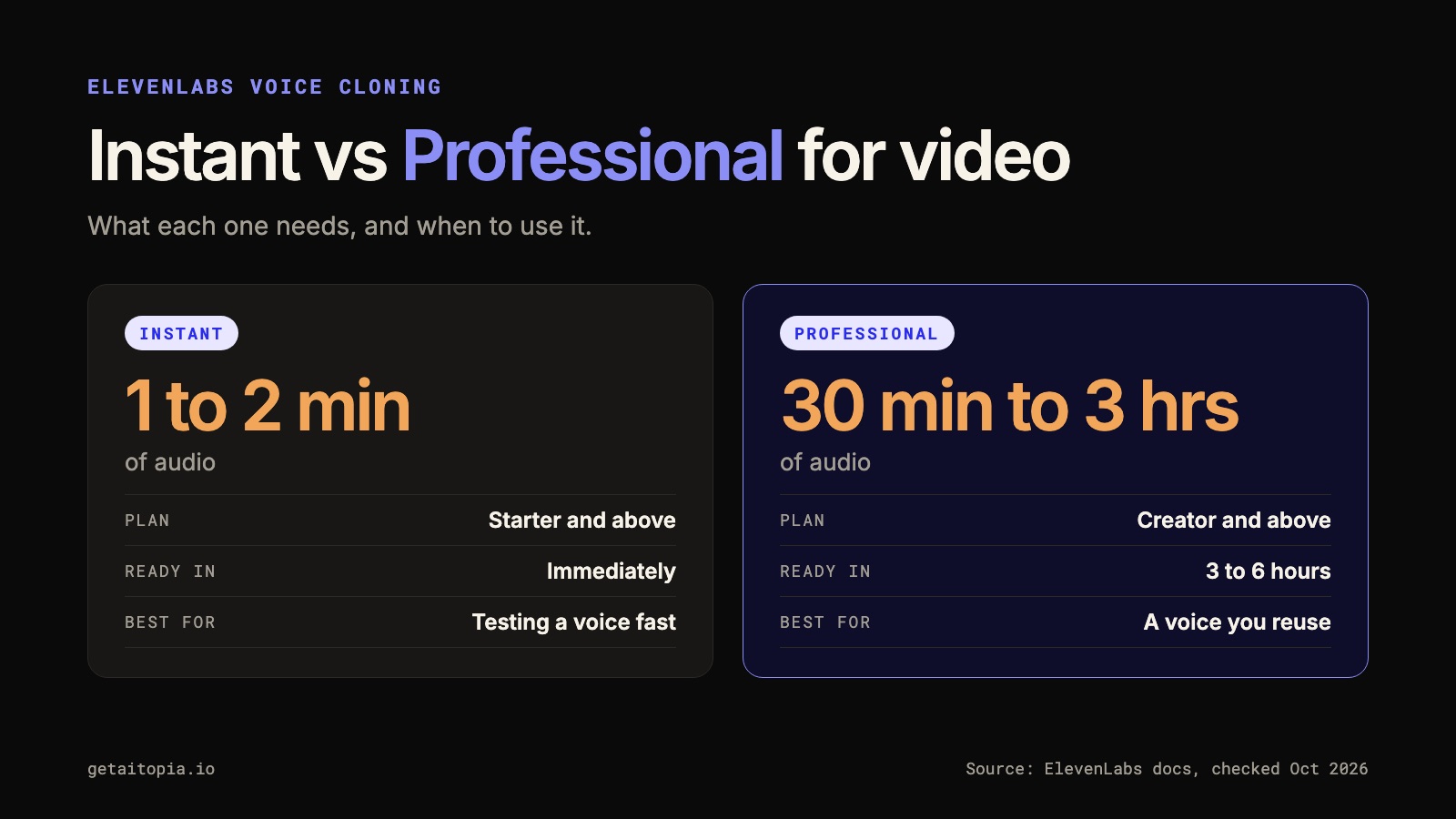
ElevenLabs voice cloning comes in two forms. Instant needs 1 to 2 minutes of audio. Professional needs at least 30 minutes and a Creator plan or above. For video, the right choice depends on how often you will use the voice, not only on how good it sounds.
This guide covers both, what each costs, the consent rules, how to record a source that clones well, and how to fix robotic delivery and mispronounced names before you build a video workflow around the voice.
Facts in this guide were checked against ElevenLabs' documentation and pricing page on 5 October 2026. Plans and models change, so confirm anything that affects a purchase.
Instant vs Professional Voice Cloning at a Glance
| Instant Voice Cloning | Professional Voice Cloning | |
|---|---|---|
| Audio you provide | 1 to 2 minutes recommended (at least 1, avoid more than 3) | 30 minutes minimum, at least 1 hour recommended, ideally close to 3 hours |
| Plan | Starter and above | Creator and above |
| Ready in | Immediately | Fine-tuning takes 3 to 6 hours, sometimes longer |
| Verification | Only use a voice you have permission to clone | Required: the speaker records verification lines |
| Fidelity | Works for most voices, may struggle with uncommon accents or unique voices | Documented as virtually indistinguishable from the original voice |
| Best for | Testing a voice fast, one-off projects | A voice you will use again and again |
Sources: Voice cloning overview, Instant guide, Professional guide.
A simple rule for video: start with Instant to find out whether cloned narration fits your content. Move to Professional when the voice becomes a recurring part of your business content and you can record the longer, cleaner source it needs.
What ElevenLabs Voice Cloning Costs (and What Is Free)
Instant cloning is not part of the free plan. ElevenLabs' pricing page lists Instant Voice Cloning from the Starter plan and Professional Voice Cloning from the Creator plan.
At the time of writing, list prices are $6 a month for Starter and $22 a month for Creator, and both show a discounted first month. Treat those as a snapshot and check the page.
Two details that surprise people:
- Professional clones use slots. Creator and Pro plans include 1 slot, and Business includes 10. If you want a second professional voice, plan for it.
- A clone cannot be exported as a standalone file. It stays inside your ElevenLabs account, so keep your original recordings and transcripts.
Credits are a separate limit. Generating long narration spends credits whichever clone you use, so a plan that includes cloning can still run out of audio mid-month.
Consent and Ownership Rules
The consent rules shape who can do what, especially if an agency or team will run production for a founder.
- You can only create a Professional Voice Clone of your own voice. Even with someone's consent, you cannot clone their voice.
- Every Professional clone needs verification. The speaker records verification lines with their own microphone. If verification fails, you can wait 24 hours and try again or contact support.
- To let someone else use your professional clone, ElevenLabs describes a sharing route: the voice owner creates and verifies the clone on their own account, then shares it privately with a link.
Plan this early. The most common delay in founder video is not the model, it is that the founder has to do the verification personally.
Record the Source for Video
Cloning copies what you give it. A noisy, flat, or inconsistent recording produces a noisy, flat, or inconsistent clone. ElevenLabs' own guidance is "good consistent input equals good consistent output."
The technical basics from the documentation:
- One speaker only. No music, background noise, or reverb.
- MP3 at 192 kbps or higher.
- Volume between -23 dB and -18 dB RMS, with a true peak of -3 dB.
- Roughly two fists from the microphone, with a pop filter if you have one.
- Speaking only. Professional clones do not currently support singing.
- Record in the language you want the clone to speak.
For the video part, add three habits the documentation does not spell out:
Record in the style you will publish. If your videos are calm explanations, do not train the clone on energetic podcast banter. The clone learns your delivery as well as your sound.
Check a short passage first. Record 30 seconds in your real setup and listen on headphones. Fans, desk bumps, a reflective room, and volume changes when you turn your head are easy to miss while speaking and obvious in a clone. Save the failed take with a note on why you rejected it.
Speak about things you know. Use prompts such as a mistake customers make before working with you, a decision you changed your mind about, or a process you can explain with one example. Explaining sounds more like your video voice than reading a script.
Keep the source files, the transcript, the date, and which account owns the clone together. You will need them if the account changes.
Test the Clone With the Words That Break
A generic greeting is a weak test. It can sound convincing while avoiding every word that causes trouble in your videos.
Build a short test with a company name, an acronym, a number, a question, and a sentence that needs a deliberate pause:
At AI Topia, we turn a founder's ideas into weekly video. The goal is to keep useful expertise visible while the founder runs the business. Before producing a series, check three things: the script sounds like you, the voice says every name correctly, and the finished video feels comfortable to publish. Which of those would you review first?
Add one passage from your own field, such as a technical acronym or a product name that looks nothing like it sounds. Use the same test script across every change. If the test keeps changing, you cannot tell whether a setting helped.
Fix Mispronounced Names and Terms
When one word fails, isolate it. Generate a short sentence with only that word, then put it back into the full line and listen to the whole sentence.
What you can use depends on the model. According to ElevenLabs' text-to-speech guide:
- Phonetic spelling works as a general fallback. Write the word the way it sounds, and use capital letters, dashes, or apostrophes if needed.
- Eleven v3 supports IPA phonetic notation natively.
- Flash v2 and Turbo v2 support SSML phoneme tags, in IPA or CMU format. CMU tends to be more predictable.
- Numbers and symbols are safer written as words, because the model has to guess how to read them otherwise.
Keep a correction log with four fields: the written term, the intended pronunciation, the input that worked, and the model. It saves hours when several people write scripts for the same voice.
One trap: if you spell a brand name phonetically to guide the voice, do not copy that spelling into captions or on-screen text.
Fix Robotic Delivery in This Order
Robotic output rarely comes from one setting. Work through the causes in order, because the early ones are cheaper to fix.
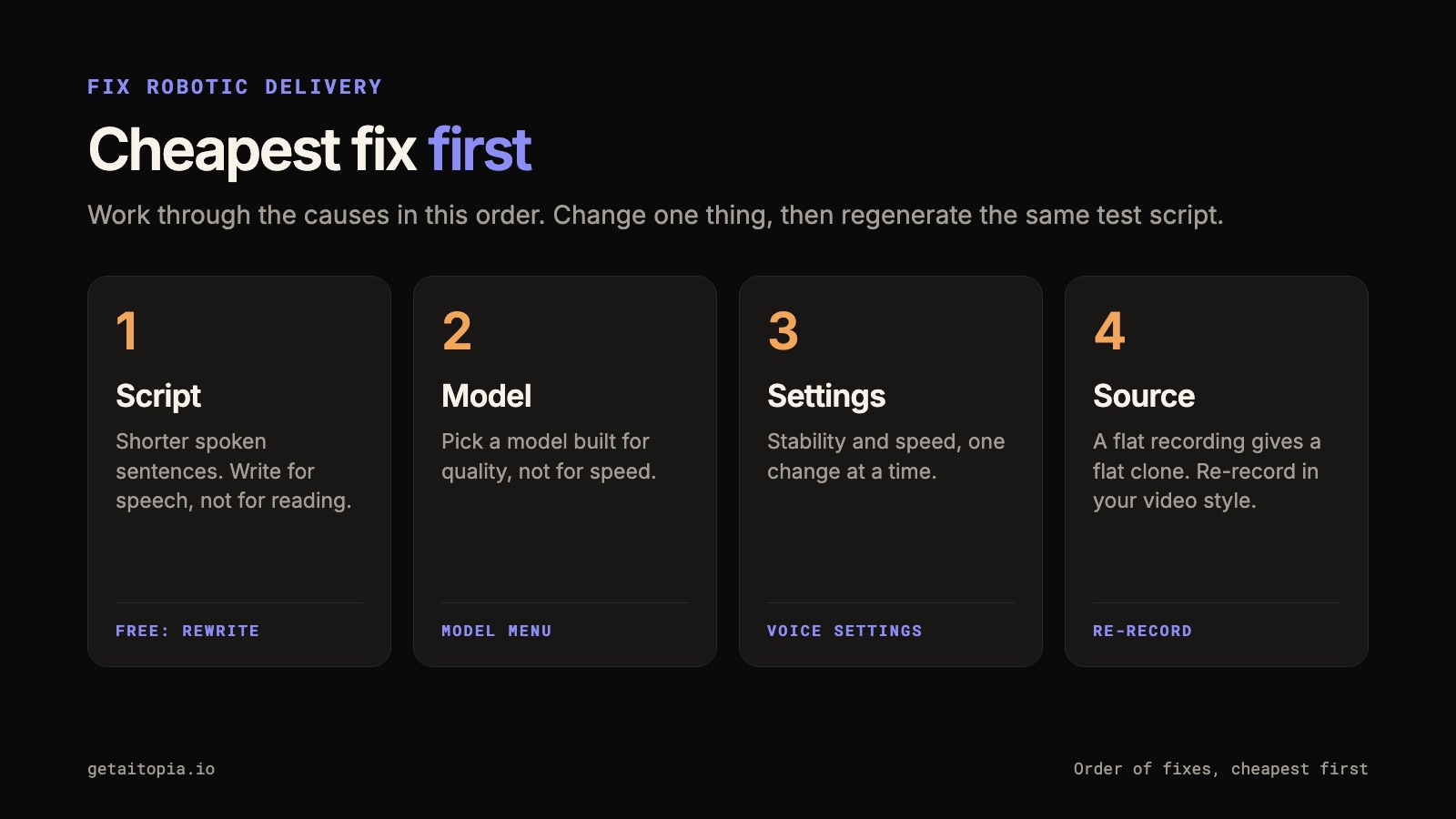
1. Write for speech
Long written sentences with stacked clauses sound stiff when spoken, whatever the settings. Compare:
We help founders who have established expertise but limited capacity for recurring recording and production coordination create content that consistently communicates their point of view.
with:
You have the expertise. Finding time to turn it into video is the problem. We help you share your point of view without managing every production step.
The second version gives the voice clear units of meaning.
2. Check the model
ElevenLabs' documentation describes the models differently. Settings and features change from model to model, so a tip from one tutorial may not apply to yours.
| Model | What the docs say | Watch out for |
|---|---|---|
| Eleven v4 | Listed as the strongest for voice cloning, 90+ languages | No style or speed sliders, no SSML |
| Eleven v3 | Audio tags for emotion and delivery, 70+ languages | No stability, similarity, or speed settings |
| Multilingual v2 | 29 languages, described as the most stable for long-form | Standard latency |
| Flash v2.5 | Very fast and about 50% cheaper | Lower quality than the standard models |
For finished video narration, a model built for quality usually beats one built for speed.
3. Adjust the settings that exist
For models that support them:
- Stability (default 50): lower values add emotional range, higher values give a more consistent but more monotone result.
- Speed: ranges from 0.7 to 1.2, with 1.0 as the default.
- Similarity: higher values follow the source more closely, but with a poor source recording they can reproduce its flaws.
- Style exaggeration: ElevenLabs recommends leaving it at 0.
Change one setting at a time and regenerate the same test script.
4. Go back to the source
If the delivery is flat, the likely cause is a flat source. No slider fixes a monotone recording. Re-record in the style you want, then rebuild the clone.
Control Pauses and Pace
How you control pauses depends on the model.
- Multilingual v2 and Flash models support SSML break tags such as
<break time="1.5s" />. The maximum is 3 seconds, and many tags in one generation can cause speed-ups or artifacts. - Eleven v3 and v4 use audio tags and punctuation instead of SSML breaks.
- Dashes and ellipses can nudge pacing on any model, but they are less consistent than break tags.
Before reaching for a control, check the sentence. A breathless sentence stays breathless at a slower speed.
Review the Voice Inside the Video
A voice that works alone can fail in the edit. A pause that suits a screen demonstration can feel empty on a close-up avatar. A fast opening can work for a short opinion and overwhelm an explanation with several new terms.
Listen once without captions, then watch with the sound off to see whether the visuals and captions still carry the point. Check on the device your audience uses, which for most short video is a phone.
If you are pairing the voice with a HeyGen avatar and have not built one yet, start with our first HeyGen avatar guide. Approve the audio before committing to the full edit, then inspect lip sync after combining the assets. For how businesses use HeyGen more broadly, see HeyGen for business video.
How We Use a Cloned Voice at AI Topia
We generate the voice in ElevenLabs instead of using HeyGen's built-in voice inside the editor. ElevenLabs produces the master audio first, and the avatar's lip-sync is built on top of it. In practice that means one approved voice and one correction log across every video.
The avatar side of that system is covered in our AI Avatars guide, including how we built an avatar to 22M views in 6 months. For the business case, see how businesses use AI avatars.
Make Approval Reusable
Keep one approved reference clip everyone on the team can hear. Pair it with the source script, the settings, the correction log, and notes on what the founder accepted.
Approving the voice does not approve every sentence it generates. For each new video, check that the meaning, the sound, and the representation still pass.
Quick Checklist
- Choose the route: Instant to test, Professional for a voice you will reuse
- Confirm the plan: Starter for Instant, Creator for Professional
- Record one speaker, clean, in the style you will publish
- Meet the audio specs: MP3 192 kbps or higher, -23 to -18 dB RMS, -3 dB peak
- Test with your company name, an acronym, a number, and a pause
- Keep a correction log for names and terms
- Fix delivery in order: script, model, settings, source
- Review the voice inside the finished video, not on its own
- Store sources, transcripts, and account ownership together
If you want this workflow installed in your team, see Video Engine. If you want the scripting, production, editing, and review handled for you, see our AI Video Agency.
Frequently Asked Questions
How much audio do I need for ElevenLabs voice cloning?
For Instant Voice Cloning, ElevenLabs recommends about 1 to 2 minutes of clean audio, with at least 1 minute and no more than 3. Professional Voice Cloning needs at least 30 minutes, with at least 1 hour recommended and close to 3 hours ideal.
Is ElevenLabs voice cloning free?
No. The free plan does not include cloning. Instant Voice Cloning starts on the Starter plan, and Professional Voice Cloning starts on the Creator plan. Check the pricing page for current prices.
Can I clone someone else's voice or have an agency do it?
You can only create a Professional Voice Clone of your own voice, even if someone else consents. If a team will produce your videos, you create and verify the clone on your own account, then share it with them privately.
Which is better for video, Instant or Professional?
Instant is the fast way to test whether cloned narration fits your content. Professional gives a closer match and is worth the longer recording when the voice will be used repeatedly, for example across a weekly video series.
Why does my ElevenLabs voice clone sound robotic?
Usually it is a mix of the script, the model, the settings, and the source recording. Fix them in that order: write shorter spoken sentences, use a model built for quality, adjust stability and speed on one test script, and re-record the source if it was flat.
Can I export my voice clone?
No. ElevenLabs says clones cannot be exported as standalone files and stay inside your account. Keep your original recordings and document who owns the account.
Want Weekly Founder Video Without Filming Weekly?
We run the Video Engine for you, or install it in your team. AI avatar, real footage, or both.